
Timeero provides a secure and flexible API that allows developers to integrate time tracking, scheduling, webhooks, and custom fields into their own applications.
Timeero offers three main integration capabilities:
- Public API: RESTful endpoints for CRUD operations
- Webhooks: Real-time event notifications
- Custom Fields: Extend Timeero's data model with custom attributes
This guide will help you get started quickly — from authentication to making your first API call.
Request Throttling
To prevent abuse of the Timeero API, we limit requests to a maximum of 60 calls within any minute time window. You will receive a 429 Too Many Attempts response from our API if you exceed the rate limit.
🌍 Endpoint
All URLs referenced in the documentation have the following base:
https://api.timeero.app/api/public/
Authentication 🔐Authentication is required to properly access Timeero API. Once you are authenticated, you can use an API Key for subsequent requests. All requests via API access are made with administrative privileges hence API Key must be treated very securely.
🔑 How to obtain the access API Key
How to obtain the access API Key 🔑We allow API Key to be created through our web application by going to the Integrations > Public API > Configurations page. The API Key have no expiration but can be expired when explicitly revoked using the revoke key button in the configuration page, once the access key has been generated.
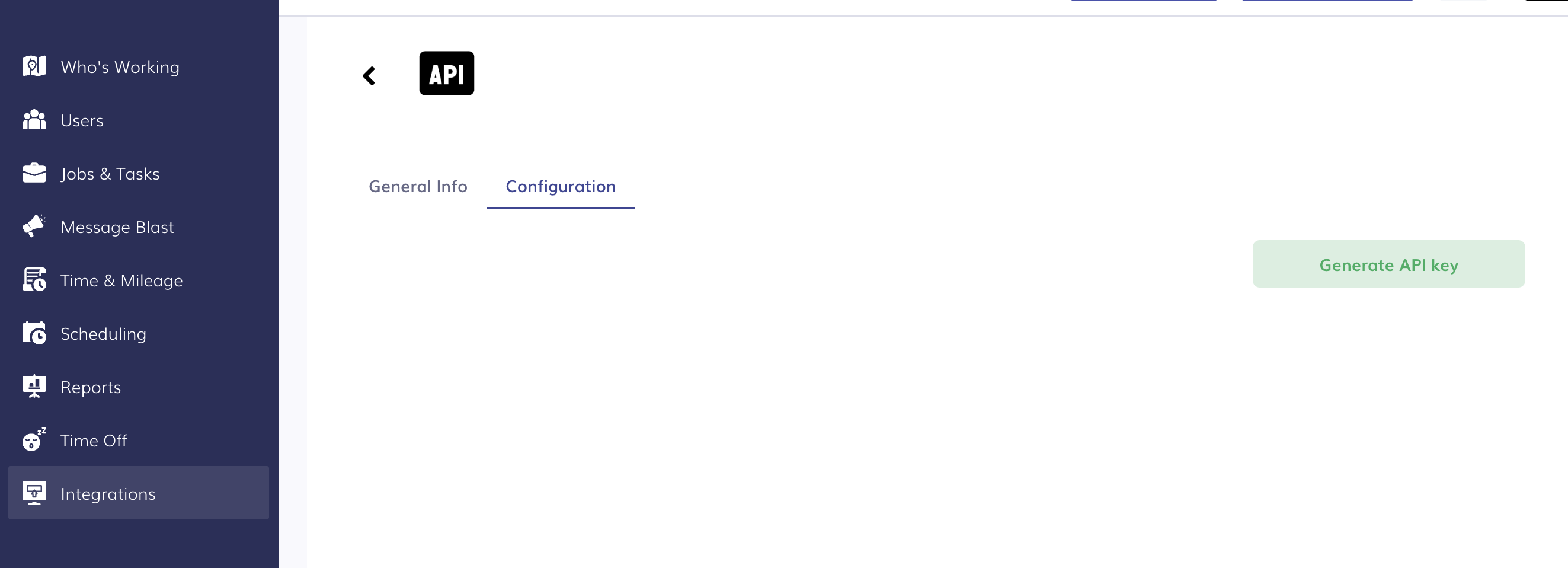
Click on the Generate API key button to create your API token
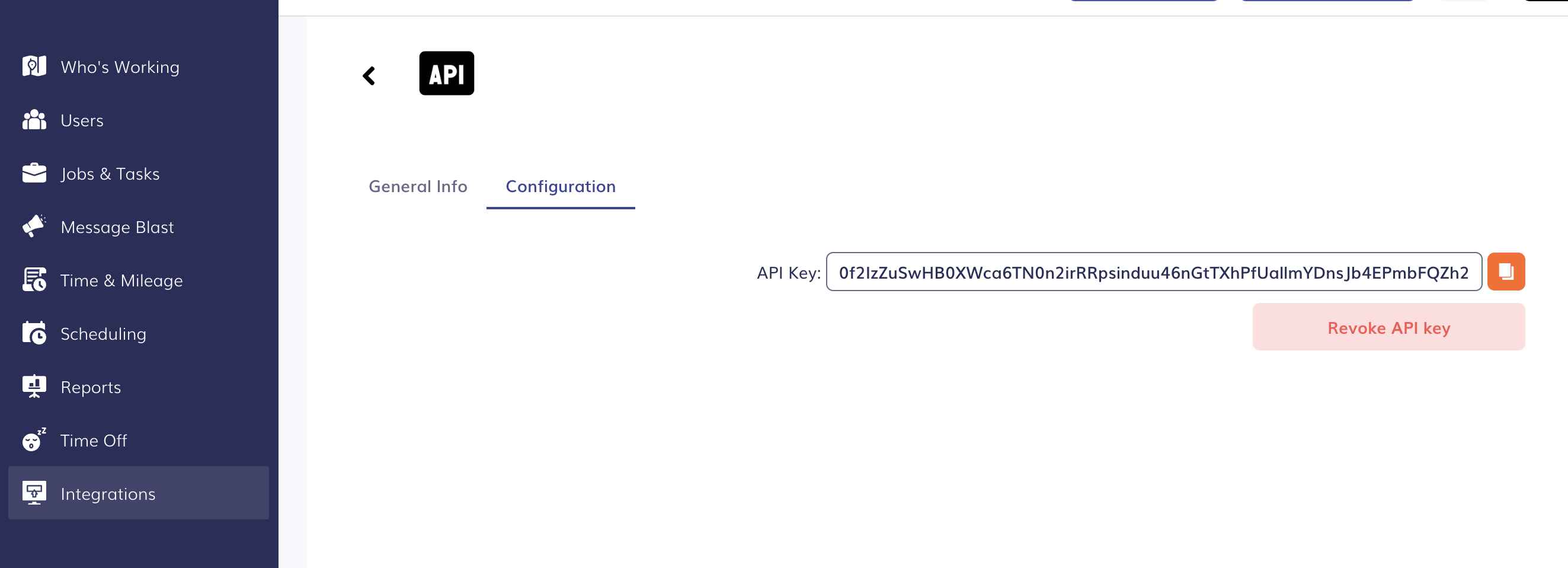
Click on ❏ to copy your API token
🚀 Make Your First API Call
Test your authentication by retrieving your company users list:
Example (cURL)
curl https://api.timeero.app/api/public/users \
  -H "Authorization: YOUR_API_KEY" \
  -H "Accept: application/json"
Example Response
{
  "meta_data": {
    "pagination": {
      "current_page": 1,
      "first_page_url": "https://api.timeero.app/api/public/users?page=1",
      "from": 1,
      "last_page": 2,
      "last_page_url": "https://api.timeero.app/api/public/users?page=2",
      "next_page_url": "https://api.timeero.app/api/public/users?page=3",
      "path": "https://api.timeero.app/api/public/users",
      "per_page": 10,
      "prev_page_url": null,
      "to": 10,
      "total": 15,
      "options": true
    }
  },
  "items": [
    {
      "id": 660,
      "first_name": "Alexandria",
      "last_name": "Rodriguez",
      "email": "[email protected]",
      "phone": "",
      "company_employee_id": "",
      "employee_code": "",
      "pay_rate": 0,
      "billing_rate_type": 0,
      "active": "Inactive",
      "role_name": "Employee",
      "can_track_location": true,
      "can_track_mileage": false,
      "notes": null,
      "created_at": "2023-09-25T14:42:41",
      "updated_at": "2023-09-25T15:06:42",
      "custom_fields": {
        "1390": "09/02/2025",
        "1833": "ID_876545"
      }
    }
  ]
}
A 200 OK response means your API key is working correctly.
Updated 3 months ago